The Warband Builder (Beta)
The Warband Builder stores all data locally in your browser. If you clear your cache or browser data, your warbands will be permanently lost. Use the Export function regularly to keep backups.
The Fighter Tab
The fighter tab contains an overview of all the fighters in your warband.
Adding Fighters
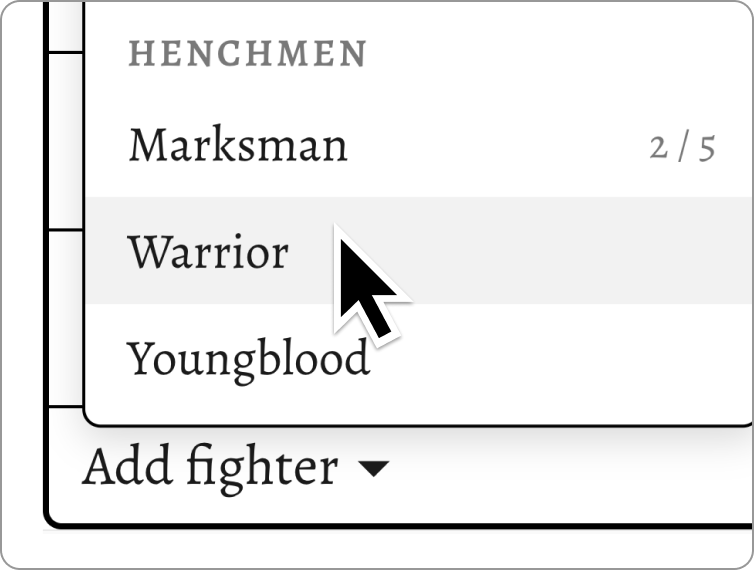
Click Add Fighter at the bottom of the fighter table to add a new fighter to your roster. The available fighter types are determined by your warband's faction entry and its restrictions. Once your warband reaches its maximum size, the button will be disabled.
Discounted Fighters
Some factions allow fighters to be recruited for a lowered gold cost. To reduce the gold cost of a fighter, click the gold cost value and change the gold cost in the modal.
Adding Equipment
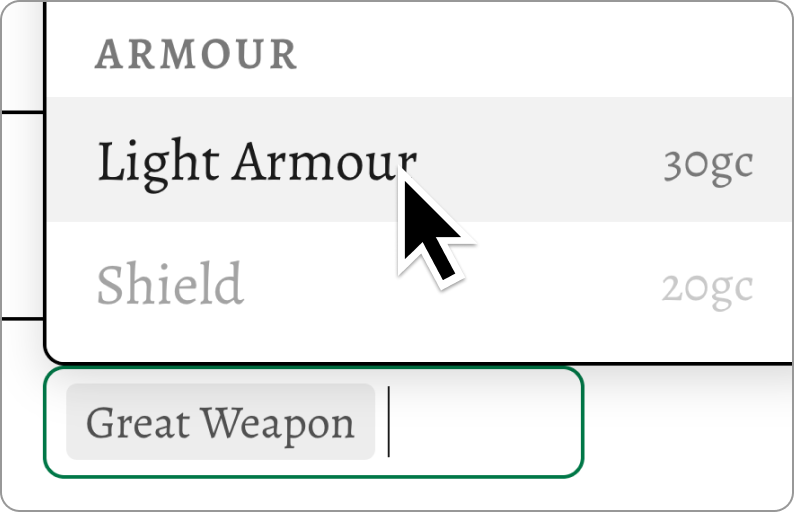
Click a fighter's equipment field to open the equipment selector. All purchases follow the restrictions outlined here. As weapons and equipment are assigned to a fighter, options that can no longer be taken will be greyed out automatically.
Armour and Defense
A fighter's Defense value is automatically updated as armour and shields are equipped.
Equipment and the Warband Stash
To move a piece of equipment to the Warband Stash rather than discarding it, Ctrl+click the item (or Cmd+click on Mac). When opening the equipment selector for a fighter, stashed items appear at the top of the list.
Purchase
Newly added fighters and equipment aren't purchased until you click the Purchase button
Selling items
To sell an item, navigate to the Warband Stash in the information tab and right click the item you want to sell.
Experience and Renown
The warband builder supports fighters gaining experience and renown.
- Left-click a fighter's experience value to increase it by 1.
- Right-click to decrease it by 1.
- At 4 XP, Renown increases automatically and the experience value resets to 0.
- At 4 Renown, the fighter is promoted to a
Heroand gains access to the faction'sHeroweapon options.
Characteristic Increases
Fighter characteristics can be manually adjusted by left-clicking (increase) or right-clicking (decrease) the characteristic. Modified characteristics are colour-coded to indicate they have been altered from their default value. Hover over a characteristic to see a breakdown of how it has been modified.
The Information Tab
Warband Stash
Lists all equipment currently held in the stash. Stashed items count toward the warband's total value.
Notes
A freeform text field for campaign notes, injuries, or anything else you want to track for your warband.
Weapon Table
Automatically populated with every weapon currently equipped across your warband. Useful for a quick overview during play.
Talents
Automatically populated with all traits, reactions, and abilities held by your fighters. If a fighter acquires another talent (such as an injury or gaining Renown), you can add it manually.
Export Warband
Since warbands are stored in your browser's local storage, regular exports are strongly recommended. The Warband Builder exports warbands as .json files, which can be re-imported later to restore your data.
Print Warband
Generates a printable warband roster to bring to your game session. Select portrait orientation for best results. A standard warband should fit neatly on a double-sided A4 sheet.